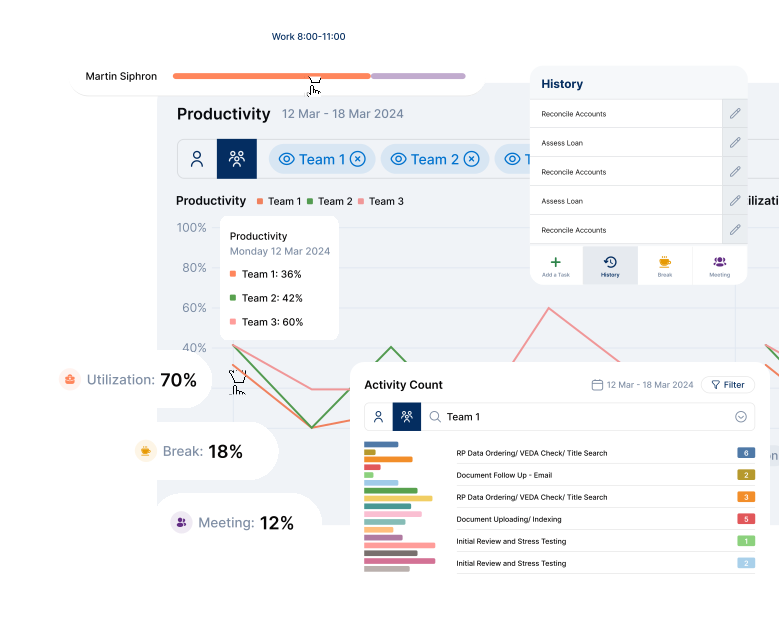
Track Real Productivity.
Not Just Time.
Elevate365 helps businesses measure completed work against expected time, giving managers a clear view of productivity, utilization, and team performance in real time.
A Simpler Way to Measure Performance
Most tools show who was active. Elevate365 shows what was completed, how long it should have taken, and where performance can improve.
Define the Work
Set up roles, teams, tasks, and expected completion times to create a fair benchmark for every employee.
Capture Output
Team members log completed activities through the desktop widget, Salesforce, or the web app as work gets done.
See Performance
Instantly view productivity, utilization, trends, and coaching opportunities across teams and individuals.
Time tracking tells you who is busy.
Elevate365 tells you who is productive.
Instead of focusing on screen activity alone, Elevate365 measures completed work against expected effort. That means better visibility, better coaching, and better operational decisions.
Output-Based Visibility
See completed work, expected time, and actual performance instead of relying only on activity or online status.
Live Productivity Insights
Managers can spot trends, bottlenecks, high performers, and support needs as they happen.
Better Workforce Decisions
Use real data to balance workloads, improve processes, reduce waste, and prevent burnout.
From Setup to Insight
Here’s how Elevate365 works across setup, daily usage, reporting, and manager visibility.
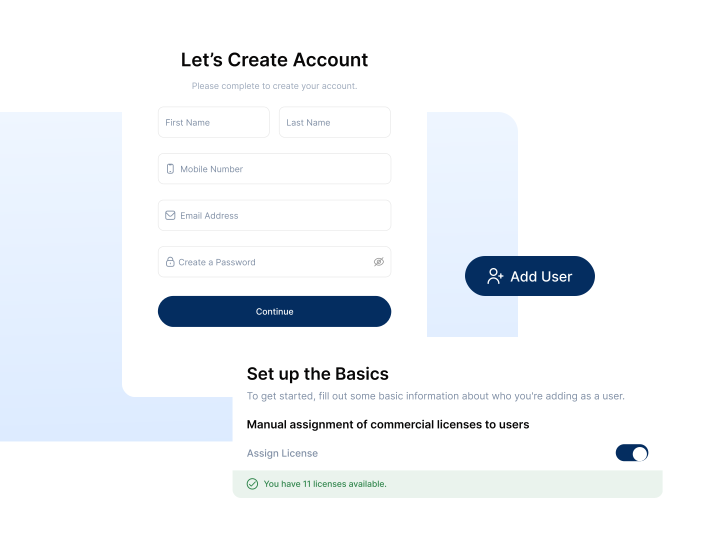
Set Up Your Workspace in Minutes
Create your account, invite your team, and assign roles with no complex setup or IT-heavy implementation.
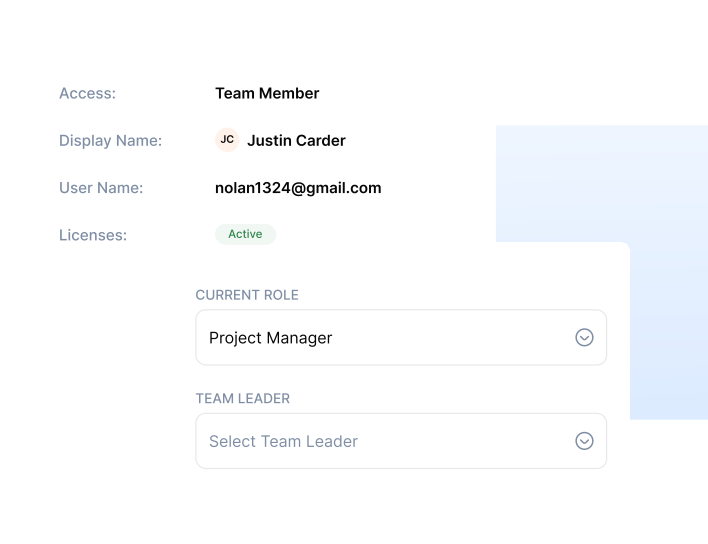
Define Roles, Tasks and Teams
Create roles with expected task completion times so every employee is measured against a fair and consistent productivity baseline.
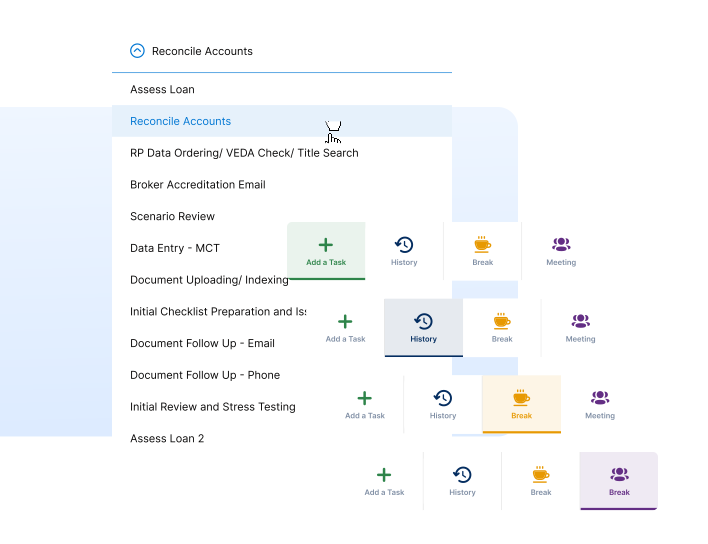
Log Completed Work
Employees log completed activities through the desktop widget, Salesforce app, or web interface — creating a live picture of output.
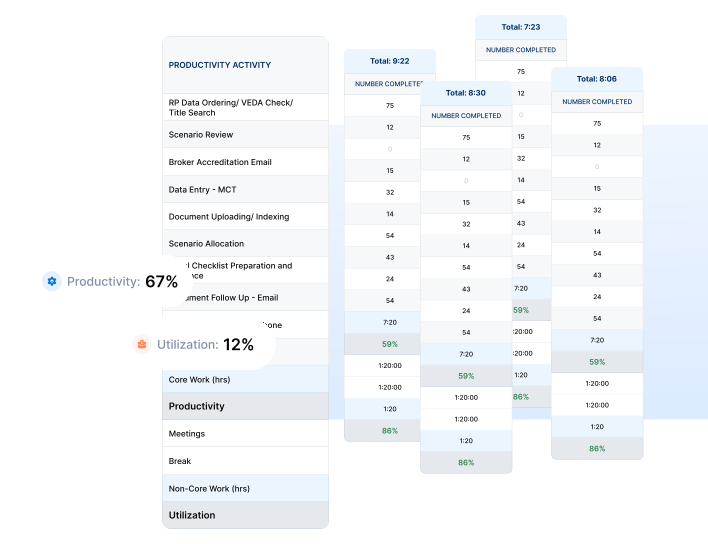
Track Productivity Automatically
Elevate365 calculates productivity and utilization in real time, giving managers clear visibility into how time is actually being used.
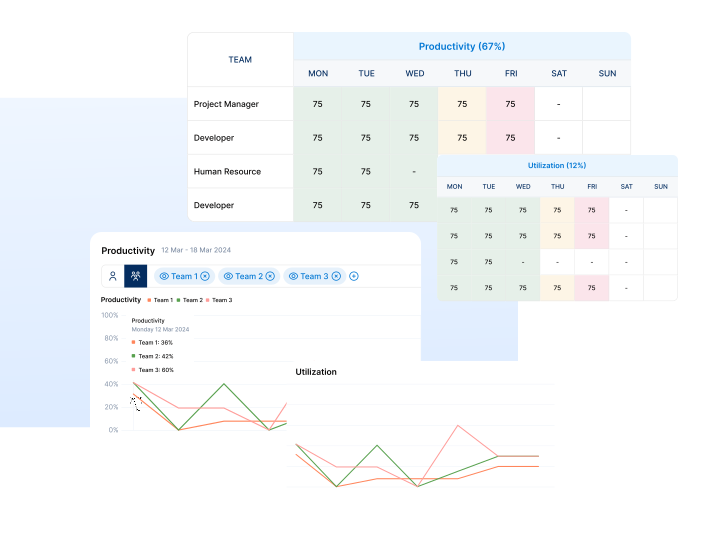
See Team Insights Instantly
Dashboards highlight performance trends, coaching opportunities, and hidden inefficiencies across teams and roles.
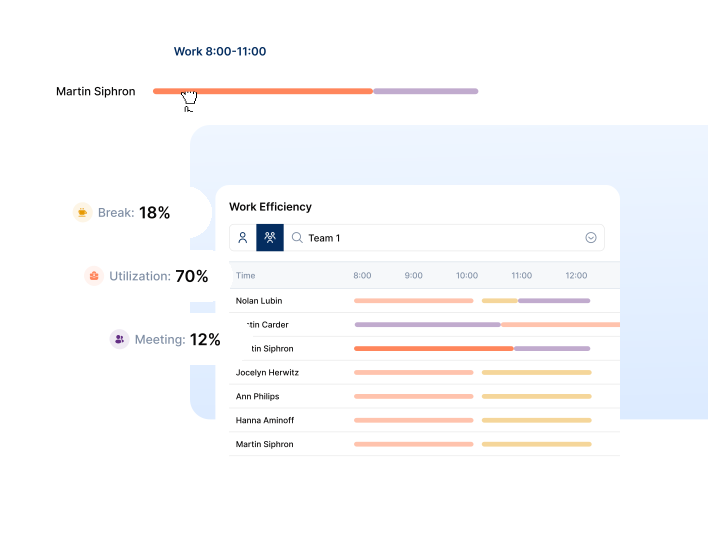
Drive Action with Data
Use real performance data to improve workflows, balance workloads, reduce waste, and prevent burnout.
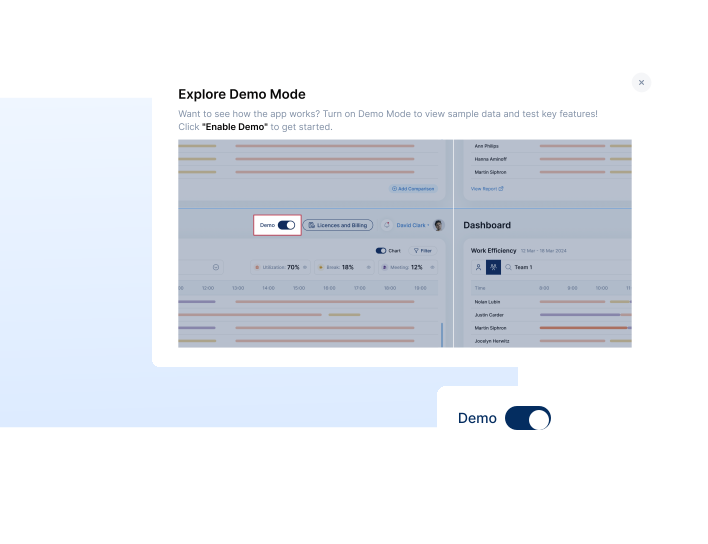
Try Demo Mode First
Explore Elevate365 with sample users, teams, dashboards, and performance data before rolling it out live.
Ready to Transform
Your Workflow?
Join thousands of successful teams already using
Elevate365.ai to boost productivity and reduce costs.